

Veramast

Campus security and enforcement, in one place.

Vio works from your school’s whole rulebook. Connect security systems, cameras, and campus records, then follow the evidence from a signal to your school’s response.

It starts with an incident.

A teacher reports an adult nobody recognises near the east playground.

Reading the report. Checking who is signed in on campus.

“An adult nobody recognises is near the east playground.”
  1. Visitor pass 1184 ended
  2. Arrival read at South lot, no departure since
  3. Vio opened case 1042
  4. Alert sent to security on duty
  5. Task: check the east playground
Resolved by J. Rivera · 1:52 pmVisitor found at the east playground and walked to the front desk.

One campus. One connected record.

The observation meets the school’s rule.

A visitor pass has ended and no departure is recorded. In this example, Vio opens case 1042 under the school-approved visitor rule. Evidence, proposals and decisions stay on its timeline.

Skip to content
Your school
Visitor pass endedOpen
Opened under the school’s rule

The visitor pass ended at 11:00 am. No departure has been recorded after the South lot arrival.

Rule
A visitor still on campus after their pass ends opens a case.
Evidence
Camera read + visitor pass
Action
Staff review, no automatic citation or tow

Case timeline

  1. Vehicle arrivedSouth lot · Camera read
  2. Visitor pass endedMain campus · Visitor pass 1184
  3. Vio opened case 1042Visitor overstay · Published ruleset

The school sets the boundsUse arrow keys to scroll this preview.Vio follows the whole school rulebookHow Vio connects school rules, evidence, and response, with vaping sensor and weapon-report examples identified as planned connections.

Vio follows the school’s approved ruleset and its limits.

  1. The school sets the bounds

    Vio follows the school’s approved ruleset and its limits.

  2. One case, linked sources

    The read, visitor pass and rule explain why this example case exists.

  3. The next step is visible

    The acknowledgement stays on the case timeline, separate from any enforcement decision.

  • Cases and evidence
  • School-approved rulesets
  • Proposals and approval decisions

Follow the case workflowUse arrow keys to scroll this preview.Vio follows the whole school rulebookHow Vio connects school rules, evidence, and response, with vaping sensor and weapon-report examples identified as planned connections.

Follow an arrival back to the read.

The entry log keeps the time, camera and plate read together. On campus now is a separate view of recorded stays; a missing departure is not proof that a person remains on site.

Skip to content
Your school
Search a record or plate5 reads
TimeEntry pointDir.PlateVehicleFlagConf.Crop
08:12:19South lotIn2021 GMC Sierra, whiteVisitor99%Unavailable
08:14:07.250North entryIn2022 Ford Bronco, gray99%Unavailable
08:13:40.118North entryIn2019 Subaru WRX, bluePermit not valid98%Unavailable
08:13:02.804East driveInNot registered98%Unavailable
08:12:51.336North entryIn2014 Ford Explorer, blackPermit expired98%Unavailable

Crops appear here once evidence storage is connected.

The arrival keeps its source

South lot recorded the visitor at 8:12 am. The same arrival supports presence, the visitor record and case 1042.

A focused historyUse arrow keys to scroll this preview.Keep visitor arrivals in the campus recordExpected visitors, camera arrivals, and front desk check-ins share one view, with the source and time behind each presence record.

Filter the entry log to follow the visitor vehicle’s recorded arrival.

  1. A focused history

    Filter the entry log to follow the visitor vehicle’s recorded arrival.

  2. The recorded observation

    A row names the entry, time and direction recorded by the camera.

  3. Inspect before deciding

    Recorded time, direction and the matched record provide context. Crops remain unavailable until evidence storage is connected.

  • Arrival and departure history
  • Read detail and corrections
  • On campus now and visitor stays

Follow a visitor’s stayUse arrow keys to scroll this preview.Keep visitor arrivals in the campus recordExpected visitors, camera arrivals, and front desk check-ins share one view, with the source and time behind each presence record.

Know the camera before opening the view.

Check camera health and the last recorded read. The Live workspace is present, but live viewing is not available in the school product yet.

Skip to content
Your school

Cameras

Live view is not available in the school product yet.

CameraStateBatterySignalFirmwareQueueLast record
South lotOnline12.40 V, band NORMAL-67 dBm, fair1.0.408:12:19 am
North entryOnlineServicing scheduled12.20 V, band NORMAL-72 dBm, weak1.0.4211:02:14 am
East driveOnline12.60 V, band NORMAL-65 dBm, fair1.0.4011:01:42 am

Health before footage

Last heartbeat
11:02 am
Supply
12.4 V
Connection
Connected in this example
Crop state
Unavailable
Crop storage
Crops appear here once evidence storage is connected.

Hardware healthUse arrow keys to scroll this preview.Camera health belongs in the campus pictureSee a Veramast Watchpost’s status, last read, battery, and signal alongside campus work, with installation and service handled by Veramast.

The camera list shows the state of the installation, separate from the plate-reading log.

  1. Hardware health

    The camera list shows the state of the installation, separate from the plate-reading log.

  2. A named entry point

    The selected camera belongs to a particular campus entry and direction.

  3. The last captured read

    Inspect the camera’s last recorded read. Live viewing is not available in the school product yet.

  • Camera health and connectivity
  • Last-read context
  • Live-view availability

Meet the camera installationUse arrow keys to scroll this preview.Camera health belongs in the campus pictureSee a Veramast Watchpost’s status, last read, battery, and signal alongside campus work, with installation and service handled by Veramast.

Put the permission beside the vehicle.

VMS connects vehicles, people, permits and visitor passes. The same vehicle can be followed from its registration to a camera read and any later case.

Skip to content
Your school
PlateVehiclePersonRoleStatusValid to
2021 GMC Sierra · WhiteA. MorganVisitorExpired30 Sep 2026 · 11:00 am
2022 Ford Bronco · GrayR. AlvarezStaffActive30 Jun 2027
2020 Subaru WRX · BlueD. NguyenStudentActive30 Jun 2027

The matched vehicle record connects identity, permission and campus activity.

One vehicle registryUse arrow keys to scroll this preview.Connect vehicle permissions to what happens at the entry pointRegistration, permit rules, and camera reads share context, giving campus staff and Vio a basis for the next step.

Vehicles, permits and visitors are views of connected records rather than unrelated lists.

  1. One vehicle registry

    Vehicles, permits and visitors are views of connected records rather than unrelated lists.

  2. A recognizable vehicle

    The plate and linked person give staff context for the vehicle.

  3. Permission has a period

    A permit or visitor pass has its own validity. A plate read alone does not grant permission.

  • Vehicle and person records
  • Permit validity and renewal
  • Visitor passes and registration history

Connect permissions to arrivalsUse arrow keys to scroll this preview.Connect vehicle permissions to what happens at the entry pointRegistration, permit rules, and camera reads share context, giving campus staff and Vio a basis for the next step.

Start with a request, not a paper form.

A family supplies its vehicle information. Staff review the request before the registration joins the school’s record. Visitor passes and permits belong to that same vehicle context.

Skip to content
Your school
One request, ready for a person to reviewPortal request 1184 · Today, 7:48 am
PersonVehicleVisitState
A. Morgan · VisitorFront office · TodayPending
J. Bell · StaffStaff parkingPending

Request details

Person
A. Morgan · Visitor
Vehicle
Pass
Visitor pass 1184
Visit
Front office · 8:00–11:00 am
Last arrival
South lot · 8:12 am
Linked case
1042 · Visitor pass ended

Review before approving

Check the person, visit and vehicle together. A school staff member makes the registration decision.

Reviewed by
Awaiting staff review
Decision
Not yet recorded

One review queueUse arrow keys to scroll this preview.Registration gives campus security the context it needsA family’s registration connects people, vehicles, and permissions to the records staff and Vio use across campus.

Pending requests wait in a named queue, with a clear next action for staff.

  1. One review queue

    Pending requests wait in a named queue, with a clear next action for staff.

  2. The information behind the request

    The vehicle and requester stay attached to the registration staff are reviewing.

  3. A decision with a record

    The approved request joins the vehicle’s registration record.

  • Family registration portal
  • Staff review and decisions
  • Permits and visitor passes

Read about registrationUse arrow keys to scroll this preview.Registration gives campus security the context it needsA family’s registration connects people, vehicles, and permissions to the records staff and Vio use across campus.

Give attention a name and a time.

An alert tells staff what needs review. Its acknowledgement records who took notice; it does not resolve the linked case or confirm anyone’s safety.

Skip to content
Your school
StatusAlertSeverityDeliveryRaised
NewVisitor pass ended · Case 1042Priority 411:01 am
AcknowledgedCamera heartbeat restored · North entryLow10:42 am

Visitor pass ended

Person
A. Morgan · Visitor
Vehicle
Pass
Visitor pass 1184
Visit
Front office · 8:00–11:00 am
Last arrival
South lot · 8:12 am
Linked case
1042 · Visitor pass ended

A person owns the follow-up

The alert links directly to the case, visitor pass and arrival. Acknowledging it records who has seen it.

OpenCase 1042

This example sends no email, text message or emergency notice.

A distinct alert recordUse arrow keys to scroll this preview.Vio follows the whole school rulebookHow Vio connects school rules, evidence, and response, with vaping sensor and weapon-report examples identified as planned connections.

Alert state is separate from case state, message reads and provider delivery.

  1. A distinct alert record

    Alert state is separate from case state, message reads and provider delivery.

  2. What needs review

    The alert names the concern and links staff back to its source.

  3. An acknowledgement, not an all-clear

    Acknowledgement records who took notice. Resolution has its own state and record.

  • Alert history and filters
  • Acknowledgement and resolution
  • Escalation and delivery records

Read about a rule responseUse arrow keys to scroll this preview.Vio follows the whole school rulebookHow Vio connects school rules, evidence, and response, with vaping sensor and weapon-report examples identified as planned connections.

Find the read behind a question.

Search recorded reads by time, entry point, direction and plate. Inspect the matching record; crops remain unavailable until evidence storage is connected.

Skip to content
Your school

Investigations

Search readsSaved searches · Current filters
Plate: Full or partial plateTime: TodayEntry point: AllDirection: AllSearch

Plate searches are kept out of the address and saved views.

TimeEntry pointDir.PlateVehicleFlagConf.Crop
08:12:19South lotIn2021 GMC Sierra, white99%Unavailable
08:14:07.250North entryIn2022 Ford Bronco, gray99%Unavailable
08:13:40.118North entryIn2019 Subaru WRX, bluePermit not valid98%Unavailable

Crops appear here once evidence storage is connected.

Results · 3 reads

Search across recorded reads, then inspect the read facts and matched record. This example creates no evidence pack, export or legal hold.

Search across readsUse arrow keys to scroll this preview.Protect the observation before it becomes evidenceA Veramast Watchpost seals plate records before storage or upload. Authorized access and evidence exports leave a recorded history.

Time, entry point, direction and plate narrow the recorded reads.

  1. Search across reads

    Time, entry point, direction and plate narrow the recorded reads.

  2. Results keep their context

    Each result keeps its recorded time, entry point and direction beside the plate.

  3. Inspect the matching read

    Filter the records and inspect the match. Crops stay unavailable until evidence storage is connected.

  • Read search and filters
  • Recorded time and entry point
  • Image availability

Read about the evidence recordUse arrow keys to scroll this preview.Protect the observation before it becomes evidenceA Veramast Watchpost seals plate records before storage or upload. Authorized access and evidence exports leave a recorded history.

A proposed action still needs a decision.

A citation keeps its violation, amount and evidence together. Payment, appeal and tow paths have their own checks; staff can inspect a decision before issuing a citation.

Skip to content
Your school
All citationsUnpaid · Overdue · Appealed
CitationReason and evidenceAmountState
C-2026-0142Fire lane · Front loop photo$75Unpaid
C-2026-0138No permit for zone · Read and permit record$75Appealed

Case 1042 has no citation. An open case does not mean an automatic charge or tow.

A separate citation recordUse arrow keys to scroll this preview.The evidence and approval behind an enforcement decisionHow Vio’s case links evidence and school approval to a citation, with public payment and appeal pages planned.

An operational case and a financial record have different states and histories.

  1. A separate citation record

    An operational case and a financial record have different states and histories.

  2. The basis for the decision

    The violation and evidence are available before staff decide a proposal.

  3. Review before issuing

    The review keeps the proposed decision separate from an issued citation, payment, appeal or tow.

  • Citation review and evidence
  • Payment and appeal context
  • Tow authorization boundaries

Read what a citation owes its readerUse arrow keys to scroll this preview.The evidence and approval behind an enforcement decisionHow Vio’s case links evidence and school approval to a citation, with public payment and appeal pages planned.

See who opened the record, and when.

Sensitive access and changes leave named, timestamped entries. Retention, subject requests and legal holds give authorized staff a separate place to manage the school’s obligations.

Skip to content
Your school

Settings

Settings

Audit log

Search activity or object4 entries
TimeActorActionObject
11:03 amM. ChenAcknowledged alertCase 1042
11:01 amVioOpened case under published ruleCase 1042
10:42 amJ. RiveraInvited staff memberR. Ellis
8:02 amM. ChenApproved registrationVisitor request 1184

Who acted, and when

The acknowledgement belongs to the same case history as its rule, visitor pass and arrival. Staff can review the record of each action.

A focused audit historyUse arrow keys to scroll this preview.Know who opened the evidence and what they didSensitive record access, live views, exports, and changes carry an audit entry, giving the school a history it can review.

Filter the activity to follow the records connected to case 1042.

  1. A focused audit history

    Filter the activity to follow the records connected to case 1042.

  2. Who did what

    An entry names the actor, action, record and time.

  3. History is evidence too

    Reviewing an entry preserves the original record and its attributed activity.

  • Audit history
  • Retention and subject requests
  • Recorded sensitive access

Read about the audit trailUse arrow keys to scroll this preview.Know who opened the evidence and what they didSensitive record access, live views, exports, and changes carry an audit entry, giving the school a history it can review.

On any device

Skip to content
Your school
Visitor pass endedOpen
Opened under the school’s rule

The visitor pass ended at 11:00 am. No departure has been recorded after the South lot arrival.

Rule
A visitor still on campus after their pass ends opens a case.
Evidence
Camera read + visitor pass
Action
Staff review, no automatic citation or tow

Case timeline

  1. Vehicle arrivedSouth lot · Camera read
  2. Visitor pass endedMain campus · Visitor pass 1184
  3. Vio opened case 1042Visitor overstay · Published ruleset
Skip to content
Your school
Visitor pass endedOpen
Opened under the school’s rule

The visitor pass ended at 11:00 am. No departure has been recorded after the South lot arrival.

Rule
A visitor still on campus after their pass ends opens a case.
Evidence
Camera read + visitor pass
Action
Staff review, no automatic citation or tow

Case timeline

  1. Vehicle arrivedSouth lot · Camera read
  2. Visitor pass endedMain campus · Visitor pass 1184
  3. Vio opened case 1042Visitor overstay · Published ruleset
Skip to content
Your school
Visitor pass endedOpen
Opened under the school’s rule

The visitor pass ended at 11:00 am. No departure has been recorded after the South lot arrival.

Rule
A visitor still on campus after their pass ends opens a case.
Evidence
Camera read + visitor pass
Action
Staff review, no automatic citation or tow

Case timeline

  1. Vehicle arrivedSouth lot · Camera read
  2. Visitor pass endedMain campus · Visitor pass 1184
  3. Vio opened case 1042Visitor overstay · Published ruleset

Also in Veramast

Four questions worth asking.

  1. What needs attention?Use arrow keys to scroll this preview.Vio follows the whole school rulebookHow Vio connects school rules, evidence, and response, with vaping sensor and weapon-report examples identified as planned connections.

    Vio brings the triggering observation, the school’s rule and the evidence into one case.

  2. What happens next?Use arrow keys to scroll this preview.Vio follows the whole school rulebookHow Vio connects school rules, evidence, and response, with vaping sensor and weapon-report examples identified as planned connections.

    See the case timeline and the next proposed step. Decisions that need approval stay with your staff.

  3. Which vehicles should be here?Use arrow keys to scroll this preview.Connect vehicle permissions to what happens at the entry pointRegistration, permit rules, and camera reads share context, giving campus staff and Vio a basis for the next step.

    Connect registrations and permits to the vehicles arriving at your entries, with each arrival kept in its history.

  4. Who opened a record, and when?Use arrow keys to scroll this preview.Know who opened the evidence and what they didSensitive record access, live views, exports, and changes carry an audit entry, giving the school a history it can review.

    Full-size plate images, live views and exports leave an audit entry with a name and time.

Cameras we install and look after

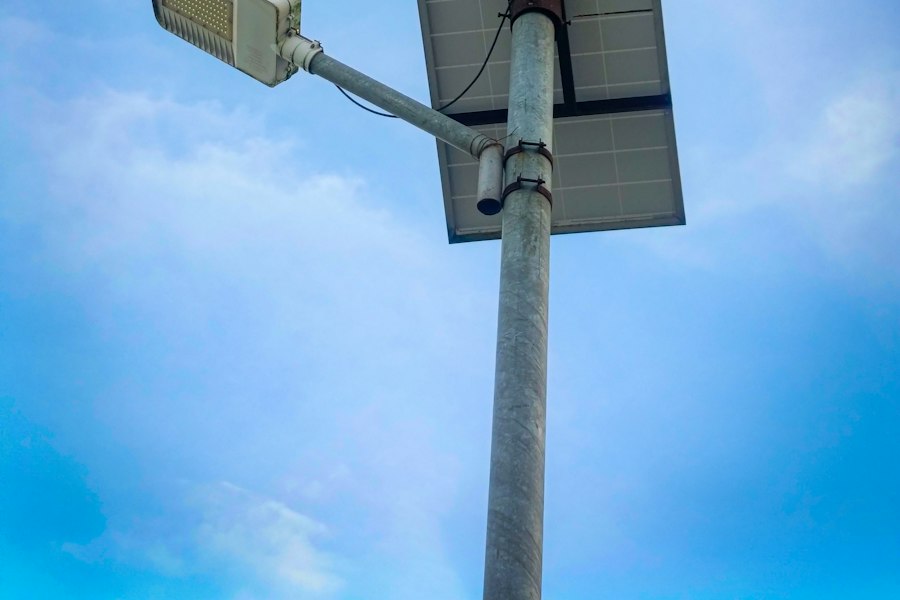
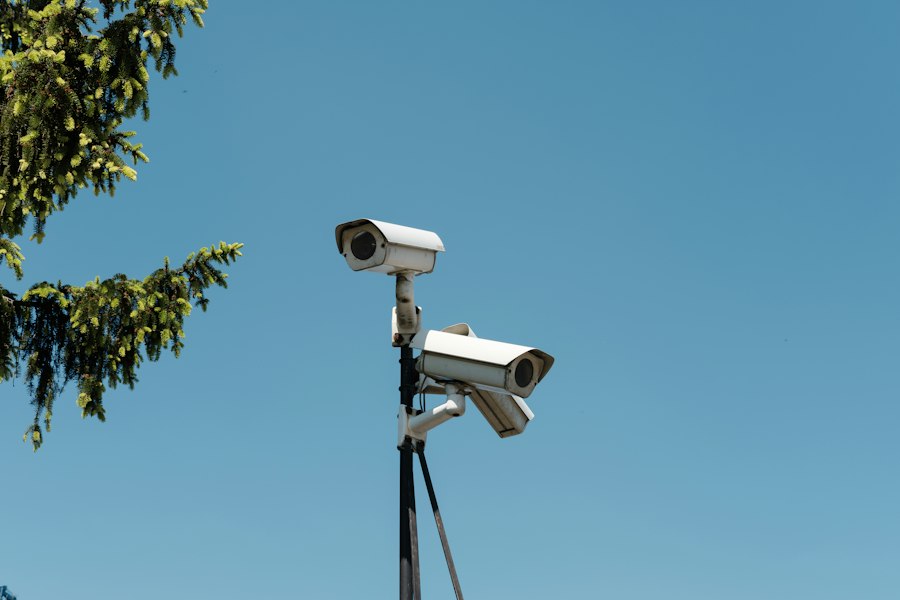
A solar Veramast Watchpost at each driveway, installed and serviced by our own team.

Nothing to open in your firewall

The camera only ever reaches out to Veramast.

Your IT team opens nothing inbound, and nothing on the camera waits for a connection from the parking lot or the internet.

Protected from the moment it is read

Each read is protected on the camera itself.

Nothing readable sits on the pole or travels from it. Only your school’s authorized people can open a read, and every look is logged.

Installed, powered, and serviced

You never climb a ladder or plug anything in.

A Veramast Watchpost is $3,000 a year on a 3-year term, with installation, repair, and replacement included.

Accountability you can show your board

No school can see another school’s records.

Every change carries a name and a time.

A case keeps its evidence and its history together.

Your school sets the rules Vio works within.

Plan your campus’s year

1

$15,000 each, per year, with every module.

Of those, with a large enrollment0

$19,000 each, per year, for a campus of 1,500 or more students.

4

$3,000 each, per year, installed and serviced by our team.

Your estimate, per year

$27,000 per year

Complete
$15,000
1 campus at list, $15,000.
Veramast Watchposts
$12,000
4 × $3,000, never discounted.

$27,000 per campus, per year.

An estimate from the published prices, with one discount at most. Nothing is priced per seat or per read, and a quote confirms the figure.

See it against your own campus

Expect a reply within 2 business days.